Word Yoga: Daily & Unlimited
- 4.6
- Rating
- 1.00M
- Installs
- Free
- Price
 Analysis by App-foxy
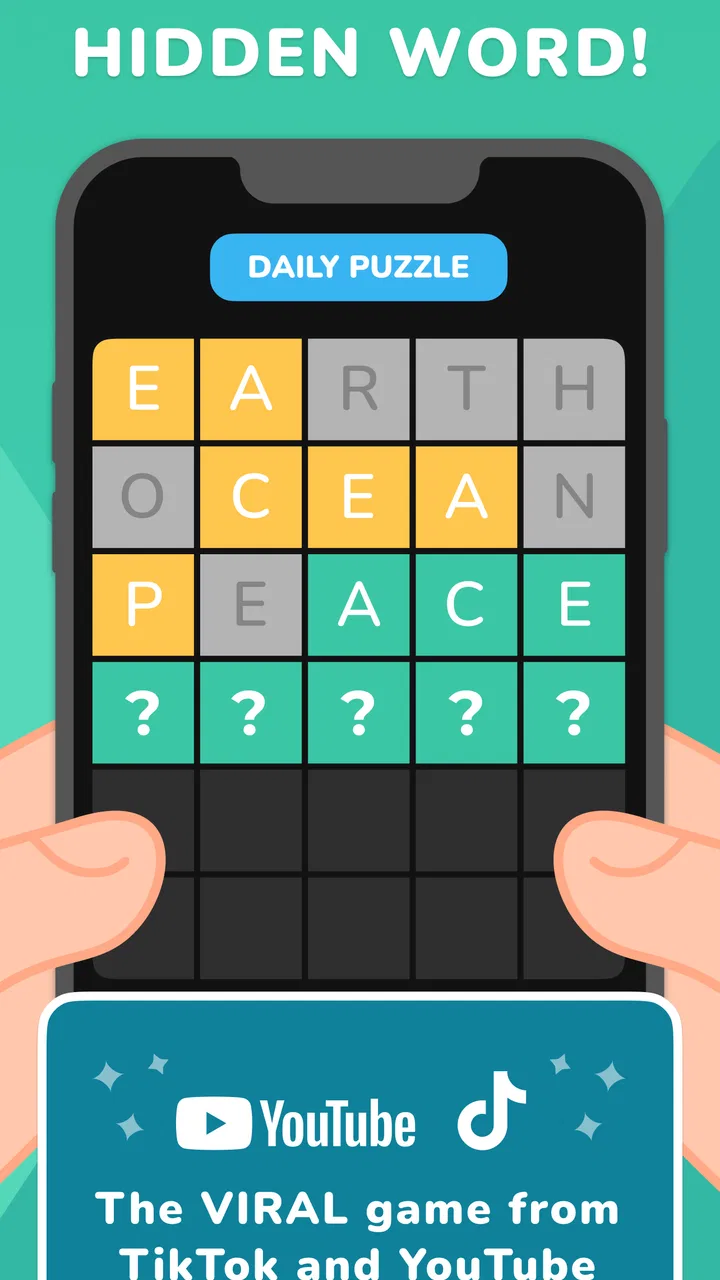
I spent time with Word Yoga: Daily & Unlimited as a casual word game, and my first impression was that it is easiest to appreciate when I treat it as a short daily habit rather than a huge puzzle collection. It brings together word-search play and Wordle-style guessing, with Quordle included for players who enjoy handling several word challenges at once. That combination gives it more variety than a single-format word game, although it also means the experience can feel less focused than a dedicated Wordle alternative.
The game is free to download, aimed at Everyone, and developed by Wordly - check IQ! Word puzzle games. It has built a sizeable audience, with over a million installs and an average rating of 4.6 from around 39 thousand ratings. Those figures suggest that the basic idea works for many players, but they do not remove the need to decide whether its particular mix of puzzles suits the way you like to play.
How I settled into a reliable daily workflow
My most comfortable routine was to begin with one puzzle mode instead of jumping between everything immediately. Starting with a word-search round helped me get into a vocabulary mindset without the pressure of solving several guesses perfectly. After that, moving to the Wordle-like challenge felt more deliberate, because I was already paying attention to common letter combinations rather than guessing randomly.
You May Also Like

 Blood Strike: 2.5 Anniversary
Blood Strike’s Loadouts Turn Every Drop Into a Tactical Gamble
A close look at Blood Strike’s custom loadouts: how fast access to signature weapons reshapes its battle royale rhythm, rewards preparation, and narrows the gap between fights.

 Pandora - Music & Podcasts
Pandora’s Music Is Easy to Start, but Harder to Recover
Pandora’s strength is its low-effort path from a seed to a station. Its weak spot is how much confidence it asks you to place in connection, setup, and quiet recovery.

 8 Ball Pool
 Is Built on Rivalries, Rematches, and Routine
A close look at the rivalries, rematches, shared routines, and unanswered safety questions that turn a quick pool match into a persistent mobile community.

 Samsung Music
’s Quiet Strength Is Playing What You Already Own
Its reach comes less from spectacle than from dependable access to a personal library. That simplicity is both the app’s strongest retention engine and its ceiling.

 AccuWeather: Weather Radar
AccuWeather Review: A Quick, Clear Forecast for Everyday Decisions
For everyday plans, the best forecast is the one you can understand quickly. AccuWeather makes rain timing, radar, and local conditions easy to act on, with a few trade-offs.

 Hill Climb Racing
Why Hill Climb Racing Still Turns Crashes Into One More Run
A tiny car, a bumpy hill and one more upgrade: Hill Climb Racing keeps resurfacing because its simple chaos makes every near-miss feel personal.
More From Our News Desk



The useful distinction is between playing for completion and playing for practice. If I only wanted a quick break, I picked the mode that looked most approachable and stopped after one session. When I wanted a little more mental exercise, I used the different formats in sequence. The game works well for that flexible approach because its word activities do not all demand the same kind of attention.
A realistic use case is a commute or a few quiet minutes before work. I can play a short round, put the phone away, and return later without needing to remember a complicated story or a long progression system. That makes it more convenient than many larger word games, especially when I want something self-contained rather than a game that expects a long uninterrupted session.
I also found it helpful to separate solving from experimenting. In a Wordle-style puzzle, my first guess was more valuable when it tested several useful letters instead of chasing a word I merely liked. Once I had a few confirmed positions, I narrowed the possibilities. That basic habit sounds obvious, but the multiple modes encourage quick tapping, and quick tapping is exactly what causes avoidable mistakes.
For the Quordle-style rounds, I changed my approach again. I did not try to solve every visible word independently from the beginning. I used early guesses to collect information across the board, then focused on the row with the clearest pattern. This reduces the feeling of being overwhelmed and makes the mode feel like a logical extension of the regular guessing game rather than four separate puzzles competing for attention.
The word-search format benefits from a different rhythm. Instead of scanning every line at the same speed, I looked for unusual letter clusters first and then checked likely directions around them. This is particularly useful when the board becomes visually busy. It is not a magic shortcut, but it prevents the common mistake of repeatedly scanning the same area without a plan.
The best everyday habit is to choose a purpose before opening a round: relaxation, vocabulary practice, or a quick test of deduction. The same game feels noticeably better when I match the mode to the time and attention I actually have.
What the game feels like for different kinds of players
Newcomers will probably understand the central loop quickly. Word-search puzzles are familiar, and the Wordle-inspired format uses a simple feedback process that becomes clearer after a few attempts. I would recommend beginning with the less demanding mode if you are not used to letter puzzles, then moving toward Quordle once you are comfortable recording possibilities mentally.
Experienced word-game players may enjoy the variety but should not expect every mode to offer the same depth. A specialist word-search app may provide a more extensive presentation of that single activity, while a dedicated daily guessing game may feel cleaner and more focused. Word Yoga’s advantage is convenience: several recognizable styles are gathered in one place.
It is also a reasonable choice for family-friendly casual play because the content rating is Everyone. I would still keep expectations realistic. This is not a cooperative board game with a shared room or a long campaign. Its social value comes more from comparing solving habits with someone nearby than from built-in group play.
Settings and small choices worth checking
Before settling into a routine, I recommend looking through the available settings rather than accepting the first presentation automatically. The practical goal is not to search for secret advantages; it is to make the interface comfortable enough that the puzzle itself remains the focus. Check the visual and interaction options that are available on your device, especially if small letter tiles or a busy board make scanning tiring.
Settings matter more in word games than people expect because a minor display or input inconvenience can change how carefully you solve. If the keyboard, grid, or word list feels cramped, I am more likely to tap quickly and lose track of evidence. A comfortable layout helps preserve the difference between a considered guess and a careless one.
I also suggest checking how you move between modes. The fastest workflow is not always the one with the fewest taps; it is the one that lets you return to the puzzle type you actually enjoy. If you prefer the daily challenge, make that your first stop. If you use the app mainly for unlimited practice, avoid spending time browsing around before starting a round.
Because the game includes both daily and unlimited-style play, it can serve two different purposes. Daily play gives the routine a clear boundary, while unlimited rounds are useful when you want repetition. I prefer not to treat unlimited access as a reason to rush through every available puzzle. Repeating the same guessing mistake several times is less useful than pausing to understand why the pattern fooled me.
There is also a financial point worth keeping in mind. The game itself is free, but optional in-app purchases range from $0.99 to $99.99 per item. I would approach those purchases carefully and decide first whether the free experience already fits my routine. For a casual player, the sensible test is simple: use the game long enough to know which modes you return to before spending money on extras.
The current version is 3.0.0, and the game supports devices running Android 7.0 or later. That makes it accessible to many older Android phones, although actual comfort will still depend on screen size and performance. On a smaller display, word-search scanning can be more demanding than the guessing modes, so device fit is worth considering before making it a daily habit.
Settings are useful only when they support a repeatable routine
I do not think experienced play comes from endlessly adjusting options. It comes from creating a predictable sequence. For example, I can open the app, start with the daily puzzle, switch to one unlimited round if I want more practice, and stop before the session turns into unfocused tapping. Checking settings once and then leaving them alone is usually better than constantly changing the environment.
If you share a phone or let a younger player use it, the Everyone rating makes the game broadly approachable, but I would still explain the difference between free play and optional purchases. That small conversation avoids confusion and keeps the app’s simple puzzle purpose from becoming a spending decision.
Faster solving patterns that actually help
The most useful speed improvement is not guessing faster. It is reducing wasted guesses. In the Wordle-like mode, I tried to make early attempts carry several kinds of information: common vowels, frequent consonants, and different positions. Once a letter appeared in the wrong place, I treated that as useful evidence rather than merely a failed guess.
One subtle trap is overcommitting to a familiar word. A pattern can suggest several answers, and the most obvious one is not always the right choice. I found better results when I wrote the possible structure mentally and tested the least certain position first. This is especially important when repeated letters may be involved, because a nearly solved pattern can still hide a second occurrence.
For Quordle, I used a two-stage method. First, I made broad guesses that exposed letters across several boards. Second, I stopped using broad guesses once one board had a narrow solution path. Continuing to search for maximum information after a clear answer is available can waste the limited attempts that matter elsewhere.
Another practical shortcut is to keep a mental list of rejected letters. When several boards are visible, it is easy to remember the green positions and forget the letters that have already failed. I treated the rejected set as an active tool. Before entering a guess, I checked that it was not repeating a letter combination already ruled out unless I was deliberately testing a duplicate.
Word-search rounds reward visual discipline. I looked for the first letter of a target word, then checked horizontal, vertical, and diagonal paths in a fixed order. A fixed order sounds slower than random scanning, but it is faster over a full board because it reduces backtracking. I also searched for rare letter pairs before common short fragments, since common fragments appear everywhere and create distractions.
These methods are not guaranteed solutions, and they do not replace vocabulary knowledge. They simply make the game’s feedback more useful. Someone who enjoys pure intuition may find the process too analytical, while someone who likes deduction will probably appreciate the extra control.
Using unlimited play without turning it into noise
Unlimited rounds are most valuable when I use them as focused drills. I might spend one session practicing opening guesses, another looking for repeated letters, and another working on visual scanning in word search. This turns extra puzzles into deliberate practice instead of a long chain of disconnected attempts.
A good stopping rule is also surprisingly important. If I begin entering words just to keep the streak of activity going, the game stops being relaxing and starts feeling mechanical. I would rather finish after a useful round and return later than continue while tired and blame the app for mistakes caused by my attention.
Players who want a competitive leaderboard, a rich narrative, or a large collection of unusual word-game mechanics may find this approach limited. The strength here is accessible repetition, not a deep progression system. For a quick brain-training break, that simplicity is an advantage; for a long-term game with extensive goals, it may feel thin.
Where the design reaches its limits
The biggest limitation is the broad scope. Combining word search, Wordle-style guessing, and Quordle gives the app flexibility, but none of those modes feels as specialized as it might in a dedicated app. I sometimes appreciated the change of pace, yet I also noticed that players who already have a favorite word-game format may use only one part of the package.
The variety can create a small learning cost too. Each mode asks me to shift attention: visual scanning for word search, positional deduction for Wordle, and resource management across several boards for Quordle. That is manageable, but it is not always what I want during a very short break. If I only have a minute, changing modes can feel like unnecessary mental setup.
The free-to-play structure deserves a measured view. Since optional purchases can reach a high amount per item, I would not buy anything impulsively after a particularly enjoyable round. The right question is whether a purchase improves a mode I genuinely use, not whether it promises to make every future puzzle easier. Players who dislike any in-app purchase structure may prefer a paid word game with a simpler model.
Another limitation is that the app’s value depends heavily on personal vocabulary and patience. If you dislike trial-and-error word guessing, the Wordle and Quordle elements may become frustrating rather than satisfying. Likewise, if you prefer fast arcade action or visual variety, the restrained letter-based presentation may feel repetitive after the novelty fades.
It is also not the best choice for someone seeking a serious language-learning tool. Solving words can sharpen attention and encourage vocabulary recall, but I would not treat it as a structured course with lessons, explanations, or a planned curriculum. Its brain-training appeal is informal and play-led.
On the other hand, the lack of a story, complex controls, or demanding progression is exactly why I can recommend it for short sessions. I do not need to remember a plot, manage a character, or prepare a strategy before playing. That makes it a better fit than many alternatives when the goal is a calm mental reset.
When another word game would be better
I would choose a dedicated Wordle-style app if my priority were a polished, single-format daily ritual. I would choose a specialist word-search game if I wanted a larger focus on scanning grids and visual discovery. I would look elsewhere for multiplayer competition, detailed statistics, or a more structured learning experience.
Word Yoga makes more sense when convenience matters more than specialization. It is a useful middle ground for someone who wants several familiar word activities without installing separate apps. The trade-off is that its broad selection may not satisfy a player who wants one mode developed to an especially deep level.
My verdict after building a repeatable habit
I enjoyed Word Yoga: Daily & Unlimited most when I used it as a compact routine: one daily challenge, a deliberate solving method, and an optional unlimited round for practice. The combination gives me enough variety to avoid immediate boredom, while the familiar rules make it easy to begin without preparation.
My strongest recommendation is for casual players who like word search and letter deduction but do not want a complicated game. It is also a good fit for short breaks, older Android devices that meet the minimum requirement, and households looking for an Everyone-rated word activity. The developer, Wordly - check IQ! Word puzzle games, has packaged several approachable formats into one free game with a clear low-pressure entry point.
I would be more cautious if you want a completely purchase-free experience, advanced competitive features, or one exceptionally deep puzzle system. The optional purchase range means I would keep spending controlled, and the multi-mode design means specialists may eventually prefer a more focused alternative.
For me, the deciding strength is flexibility. I can use the word search when I want visual concentration, the Wordle-style puzzle when I want a compact deduction problem, and Quordle when I want to manage several possibilities at once. It is best understood as a practical word-game toolbox, not a single definitive puzzle experience.
After trying different routines, I would recommend installing it if you enjoy experimenting with solving habits and want free access to several familiar formats. Start slowly, check the settings once, use early guesses for information rather than speed, and treat unlimited play as practice instead of a race. With that mindset, Word Yoga: Daily & Unlimited becomes an easy game to return to whenever I want a few focused minutes without committing to a larger gaming session.
FAQs for Word Yoga: Daily & Unlimited
01What is Word Yoga: Daily & Unlimited about?
Word Yoga: Daily & Unlimited is a word puzzle game designed to engage your mind and improve your vocabulary. The game offers daily challenges and unlimited puzzles, allowing players to relax and unwind while exercising their mental muscles. It combines the calming essence of yoga with the stimulating challenge of word games.
02Is Word Yoga: Daily & Unlimited available on both Android and iOS?
Yes, Word Yoga: Daily & Unlimited is available for download on both Android and iOS platforms. This ensures that users with different devices can enjoy the game seamlessly. You can find the app on the Google Play Store for Android devices and on the App Store for iOS devices.
03Are there any in-app purchases in Word Yoga: Daily & Unlimited?
Word Yoga: Daily & Unlimited offers a range of in-app purchases. While the game is free to download and play, these purchases can enhance the gaming experience by providing additional features, such as hints or ad-free gameplay. Users can choose to purchase these extras to tailor the game to their preferences.
04How does Word Yoga: Daily & Unlimited help improve vocabulary?
The game is designed to challenge players with a variety of word puzzles that require creative thinking and vocabulary skills. By solving puzzles daily, players are exposed to new words and different word combinations, helping to expand their vocabulary over time. It's a fun and educational way to enhance language skills.
05What age group is Word Yoga: Daily & Unlimited suitable for?
Word Yoga: Daily & Unlimited is suitable for a wide range of age groups, from teens to adults. Its simple interface and challenging puzzles make it accessible and engaging for both young learners and older players looking for a mental workout. Parental guidance is advised for younger children due to the complexity of some puzzles.
Pros
- Engaging daily challenges boost vocabulary.
- Variety of levels keeps gameplay fresh.
- Simple
- intuitive interface for all ages.
- Offline mode available for on-the-go play.
- Calming graphics enhance the experience.
Cons
- In-app ads can be disruptive.
- Limited free hints without purchase.
- Occasional lag on older devices.
- Repetitive music can become annoying.
- No multiplayer or social features.

Word Yoga: Daily & Unlimited
Gallery